
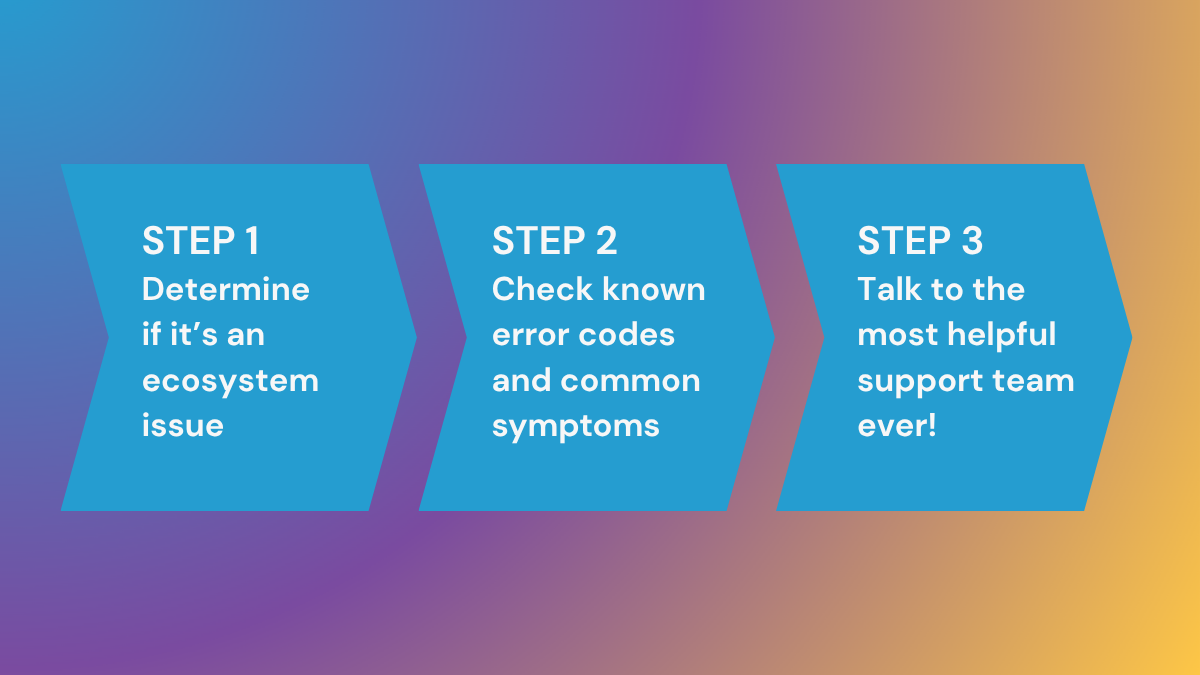
How to troubleshoot your Triton One RPC
- Reality check - ensure your setup is correct and as expected.
- Verify that you’re using the correct RPC endpoint, headers, and authorization token.
- Double-check if your request format, parameters, and input data are correct.
- Ensure your code compiles without any errors and warnings with side effects.
- Review your code for possible logical bugs not caught by the compiler.
- Troubleshooting - determine the cause of your errors.
- First, determine if the error is Solana-wide or specific to Triton by attempting the same method against the Solana public RPC https://api.mainnet-beta.solana.com.
- If the same issue exists with Solana, identify the bug and resolution by following the Standard list of Common JSON-RPC errors.
- If you fail to resolve your issue on Solana’s public RPC, it’s time to troubleshoot with possible and known Triton One errors:
- Determine if your issue returns any of the Triton RPC error codes.
- Determine if your issue exhibits any of these symptoms.
- Determine if your issue fits any of these uncommon Web3JS errors we helped some of our customers resolve.
- If you fail to resolve your issue despite the steps above, it’s time to call in the big guns!
- Reach out - seek help from the Triton One Support team.
- Prepare the following information:
- Which endpoint are you using?
- Which token or origin are you using for authentication?
- Which service are you using (HTTP, WebSocket, gRPC, etc)?
- Which error are you receiving?
- When did it happen (please include the date, time and timezone)?
- What is the expected result?
- If your issue is related to latency, how did you measure it?
- In your customer dashboard at the bottom right, open a chat with us. Please include all of the info above so we can investigate and get back to you with something helpful as quickly as possible!
- Prepare the following information:
Common Solana JSON-RPC codes
This is a standard list of common JSON-RPC error codes you may experience.
For a comprehensive list, please refer to Anza’s kit repository.
| Error code | Suggested action |
|---|---|
| -32001 | Ensure your transaction uses the latest Solana transaction version. |
| -32002 | Ensure all required signatures are present and valid. |
| -32003 | Verify keypair, rebuild the transaction with a current blockhash and sign it immediately before submission, check signatures format, and simulate first. |
| -32601 | Method not found > the method you are trying to use is either invalid or does not exist. Verify the method is enabled in your custom RPC configuration. |
| -32602 | Invalid method parameter(s). Double-check your request format against Solana’s JSON-RPC spec. |
| -32603 | Internal JSON-RPC error. Retry the request after a short delay. |
| -32604 | Procedure is method > ID field not provided in the request, please check your configuration. |
| -32700 | JSON parse error > JSON received from the server fails to be parsed. Check your JSON structure. |
Triton RPC error codes list
| CASE | CODE | Client or Server Error |
|---|---|---|
| Connection refused; you could be hitting hard limits on your server. | 111 | Client |
| Non-existent routes were requested, typically due to a malformed request, an invalid request message framing, or deceptive request routing. Validate your request syntax and parameters. | 400 | Client |
| Payment required. | 402 | Client |
| Access denied, check if the nodes in your pool are in the correct configuration. | 403 | Client |
| Not found. Verify the existence of requested data, often associated with requesting a price that does not exist related to the Pythnet service. | 404 | Client |
| Method not allowed, unsupported method. Review your custom RPC documentation for allowed methods. | 405 | Client |
| Retry the request after a short delay. Check your network connection and reduce request size if possible. Resubmit with a higher priority fee to speed up processing. | 408 | Client |
| Check Triton One’s changelog in the customer portal for updated methods. Switch to supported alternatives or request a custom endpoint. | 410 | Client |
| The request payload exceeds the maximum size limit. Optimise your transaction, remove unnecessary instructions or split into multiple transactions or request an adjustment to your endpoint’s capacity through support. | 413 | Client |
| You’ve hit the custom rate limit set for your private pool plan, or a misconfigured client is overloading the endpoint. Slow down your request frequency or upgrade to a private pool with higher limits. | 429 | Client |
| Internal Server Error. Retry after a short delay. | 500 | Server |
| Bad Gateway. Retry the request and resubmit the transaction - priority routing should recover. If the issue persists, contact us. | 502 | Server |
| Service Unavailable means that the server cannot handle the load requested. Retry after a delay and contact us if the issue persists. | 503 | Server |
| Gateway Timeout. After a short delay, retry, resubmit with a higher priority fee to expedite processing, and reconnect to the WebSocket endpoint. | 504 | Server |
| Verify the market ID, as it might be a faulty API endpoint to which you were redirected. Please let us know so that we can add some additional verification of the API's health. | MARKET_NOT_FOUND | Client |
| The connection was closed, not just the streams. Reconnecting the stream will not work; you must establish a new connection. | Stream removed | Client |
| Verify the token’s tradability on a DEX or Solana Explorer. Might need additional verification of the API health. | TOKEN_NOT_TRADABLE | Client |
| The client or server cancelled the call. Check your client code for premature cancellation. | CANCELLED | Both |
| An unhandled error occurred—e.g., a node crashed, or an upstream Solana validator returned an unrecognised status. Retry the request—transient issues might resolve. Check logs in the customer portal for more context. Report to us with detailed information. | UNKNOWN | Server |
| Error parsing returned status. | UNKNOWN | Client |
| Response cardinality violation (the method requires exactly one response, but the server sent a different number of responses). | UNIMPLEMENTED | Client |
| Method not found at server. | UNIMPLEMENTED | Server |
| Server shutting down. Retry the call after a delay. | UNAVAILABLE | Server |
| Some data is transmitted (e.g., request metadata written to TCP connection) before the connection breaks. | UNAVAILABLE | Client |
| The server is down, or there is a network issue. Fix: Retry with exponential backoff or check server health. | UNAVAILABLE | Both |
| The deadline expires before the server returns the status. | DEADLINE_EXCEEDED | Both |
| This may occur either when the client is unable to send the request to the server or when the server fails to respond in time. Fix: Increase the deadline (context: WithTimeout), optimise the server, or check network latency. | DEADLINE_EXCEEDED | Both |
| An internal server error—database failure, sync lag, or software bug—disrupted the gRPC call. Retry after a short delay or let us know. | INTERNAL | Server |
| Could not decompress, but compression algorithm supported (Server → Client). | INTERNAL | Client |
| Ensure client and server gRPC versions align. Reduce request rate to avoid flow limits. Retry after adjustment. | INTERNAL | Both |
| Verify your client’s decompression library matches server settings. Test with a smaller response. Update client if needed. Rebuild client proto files if mismatched. Validate your protobuf definitions against Triton One’s. | INTERNAL | Client |
| Server failed to parse the request protocol buffer. | INTERNAL | Server |
| Switch to a supported compression method. | UNIMPLEMENTED | Server |
| Ensure your client sends a single request per call. | UNIMPLEMENTED | Server |
| Wait 10–15 seconds and retry — load may ease. Check usage in customers.triton.one. Request a higher limit. | RESOURCE_EXHAUSTED | Server |
| The client does not have enough memory to hold the server response. Implement exponential backoff and reduce request frequency. Close unused WebSocket subscriptions. Upgrade your private pool for higher limits. | RESOURCE_EXHAUSTED | Client |
| Reduce message size. | RESOURCE_EXHAUSTED | Both |
| Verify your API key and IP whitelist. Ensure credentials match channel settings. | UNAUTHENTICATED | Both |
| The requested resource doesn’t exist or isn’t synced on the custom node. Verify the resource ID, ensure your custom endpoint is configured to include the resource. | NOT_FOUND | Client |
Possible Triton RPC Symptoms
Requests consistently time out
- Problem: Overloaded server or network congestion on nodes.
- Explanation: Excessive load on a node or pool (e.g., shared RPC) could exceed capacity, causing timeouts. This might be tied to insufficient scaling or a failure in load balancing.
Error 500 ("Internal Server Error")
- Problem: Unexpected failure in Triton One’s server software or database.
- Explanation: A bug, crash, or resource exhaustion (e.g., memory leak) on our servers could disrupt request processing, unrelated to client input.
Error 502 ("Bad Gateway") occurs across multiple requests.
- Problem: Upstream validator connectivity issue or gateway misconfiguration.
- Explanation: Triton One’s routing to Solana validators might be disrupted (e.g., validator downtime, network partition), breaking the request chain.
Error 503 ("Service Unavailable") is returned frequently.
- Problem: Triton One’s servers are overloaded or undergoing maintenance.
- Explanation: High traffic or an unannounced outage could overwhelm node capacity, triggering this error until load balancing or failover kicks in.
Error 504 ("Gateway Timeout") persists after retries.
- Problem: Slow or unresponsive upstream validator response via Triton One’s gateway.
- Explanation: Our nodes might be waiting too long for validator responses due to network delays or validator lag, which is beyond client control.
WebSocket connections drop unexpectedly with no client-side changes.
- Problem: Triton One’s WebSocket server instability or capacity limit reached.
- Explanation: A node restart, overload, or subscription cap (e.g., exceeding 100 on public pools) could terminate connections on our end.
Transactions submitted via Triton One’s RPCs are not included in blocks, despite valid fees.
- Problem: Staked node prioritisation failure or validator sync issues.
- Explanation: Our staked nodes might not be propagating transactions effectively, or they might have fallen out of sync with the Solana network.
Latency spikes (e.g., >100ms) occur without client-side traffic increase.
- Problem: Triton One’s node performance degradation or GeoDNS routing failure.
- Explanation: A node might be underperforming (e.g., CPU overload), or traffic might not be routing to the nearest server, leading to increased response times.
Flapping traffic
- Problem: Load balancing or failover system malfunction.
- Explanation: The Load balancer might be inconsistently distributing traffic, or failover to backup nodes could fail, leading to unstable request handling.
Historical data requests (e.g., via Superbank) return incomplete or stale results.
- Problem: Archival node sync failure or Clickhouse integration issue.
- Explanation: Our archival nodes might not be fully synced with Solana’s history, or data egress from Clickhouse could be delayed.
Private pool users see "Access denied" (403) despite valid API keys and IPs.
- Problem: Configuration mismatch or authentication server error on Triton One’s side.
- Explanation: Our backend might have failed to update the whitelist or key permissions, potentially blocking legitimate access.
- Latency
- Slow response time
- Frequent disconnects
- Flapping traffic
- Any errors 500-5XX
- Data consistency issue
List of Uncommon Web3JS Errors
Here are some uncommon @solana/web3.js errors we have previously helped our customers with, which might help you troubleshoot your problem.
Port Exhaustion in NodeJS
Suppose you’re running high-throughput asynchronous loads in a NodeJS environment. In that case, you might find yourself getting persistent socket and connection errors such as: ECONNREFUSED, ECONNRESET, Connection Timeout Error, other side closed, fetch failed.
If so, Triton One provides a comprehensive guide on why this occurs and a list of steps you can take to fix the problem in its documentation.